Minecraft Realms: Java vs Bedrock and How to Choose
10 listopada 2026 · 2 min czytania
Na tej stronie
Choose a Minecraft Realm for the edition your group actually plays: Java or Bedrock. Mojang presents them separately on its official Realms page; buying a subscription does not turn Java and Bedrock into one compatible client.
Checked November 10, 2026. Current plan contents and regional prices belong to Mojang’s checkout and comparison screens.
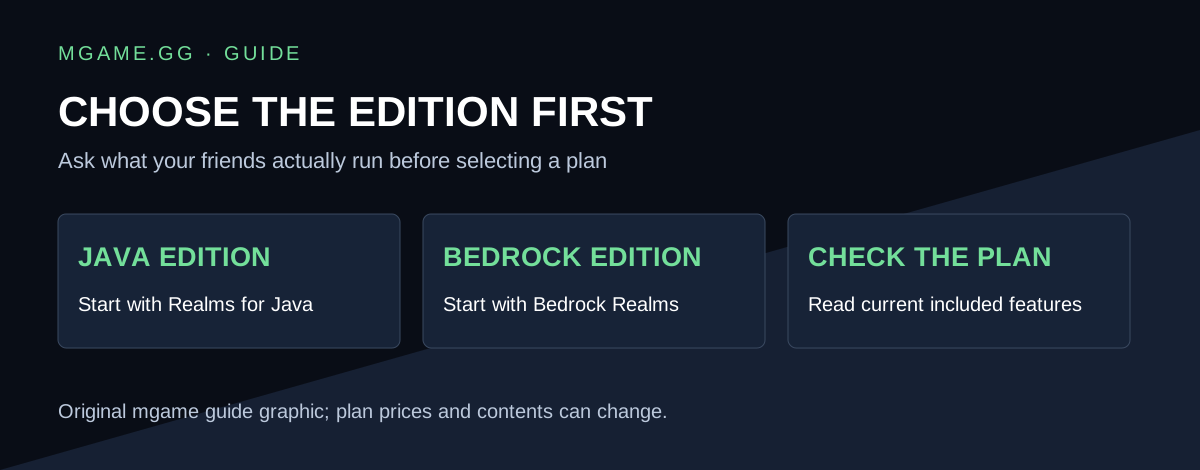
Original guide graphic by mgame.gg.
Which edition do your friends use?
| Group’s game | Start with |
|---|---|
| Java Edition on Windows, macOS or Linux | Realms for Java |
| Bedrock Edition on supported PCs, consoles or mobile devices | Realms for Bedrock |
| A modpack that needs a particular server setup | Check a compatible server host and the modpack’s instructions |
Do not decide only from the device name. A Windows PC can be used for different Minecraft editions, so ask what the game’s title screen actually says.
What is included with Realms?
Mojang describes Realms as hosted multiplayer worlds and lists separate plan features for each edition. Compare the current player allowance, included content, billing period and renewal terms on the plan you select. Avoid assuming that a feature advertised for one plan is included in another.
Before paying for a subscription
Ask each friend to confirm their edition and account. Then decide which world to use and who will manage it. Write down the plan you intend to buy before opening the checkout; it is easier to spot an edition mismatch before payment than after a group starts building.
If you are moving an existing world, keep a separate backup and read the official import/export instructions for that edition. Treat a successful test join as a useful check before scheduling the whole group.
Realms or a Java server?
If your goal is a configurable Java server, compare that workflow separately. Our Vanilla, Paper and Fabric guide explains those software choices, and our free server guide explains mgame’s hosting option.
Those pages describe a different service from Mojang Realms. Choosing an edition and choosing who hosts the server are related decisions, but they are not the same purchase.
What if a friend cannot join?
Check edition compatibility first, then the invitation, account permissions and the current service message. Record the exact error rather than changing several account settings at once.